Her Profile & Content
Open her profile to see what she remembers, her personality and interests, and your unlock roadmap. Plus her Gallery, how she decides to share photos and videos, and chat backdrops.
Everything about your relationship — who she is, what she remembers, and how far you've come — lives in her profile panel. And the photos and clips she sends aren't random: they're a reflection of how close you've grown.
Her profile panel#
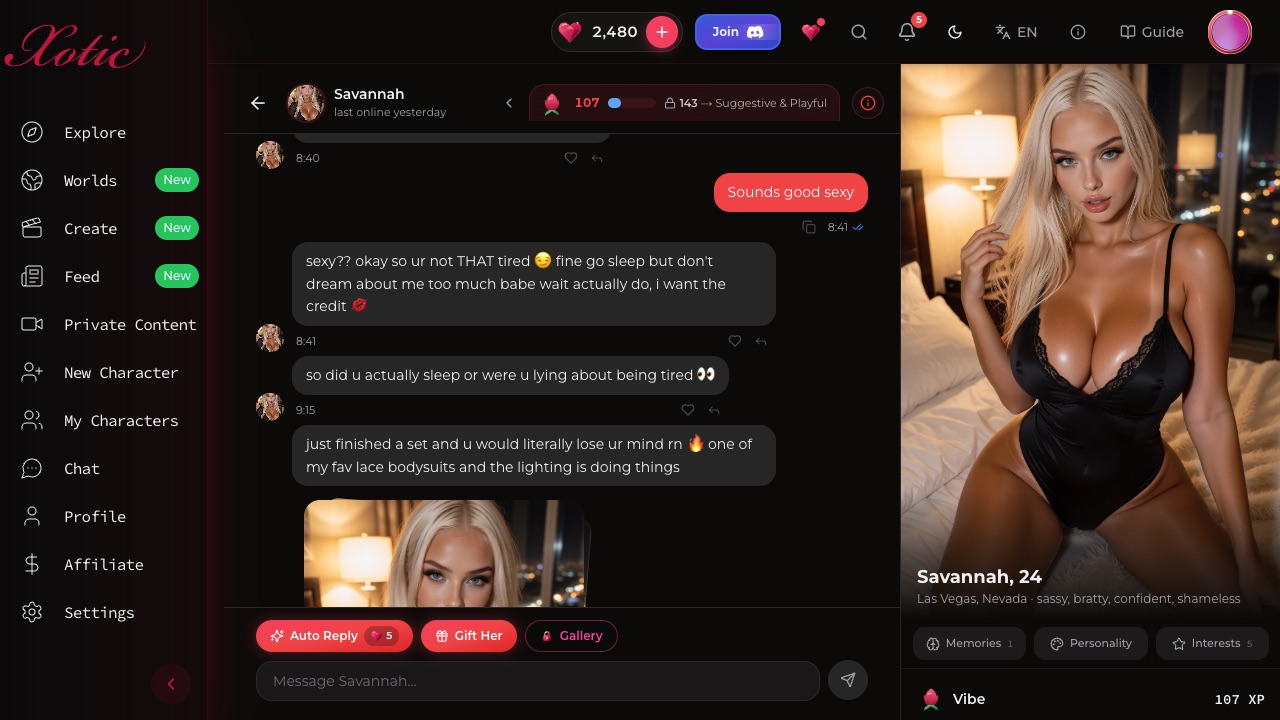
Tap her name or photo at the top of the chat to open her profile. It's the control center for your relationship:
- Your stats — Messages, XP and Gallery (how much you've unlocked together), plus how much XP you need for the next level.
- Unlock roadmap — every level from Spark to Soulmate with what it opens up, so you always know what's next.
- Memories, Personality and Interests tabs — covered below.
Memories#
The Memories tab shows "What {her name} knows" — the things she's picked up about you, from personal facts and preferences to events, feelings and milestones. A line at the top tells you how many of them are in her mind right now; switch between All and In context to see which ones she's actively thinking about.
You're in control of her memory:
- Pin a memory and she always keeps it in mind.
- Edit anything she got slightly wrong.
- Delete something and she forgets it for good.
Tap Manage all for the full memory manager: search, filter by Pinned, In context or Not in context, sort by Newest, Oldest or Most important, and use Select to pin, unpin or forget many at once.
Personality#
Her Personality tab spells out who she is: her Attachment style (secure, anxious, avoidant…), Love Language, how she acts In Conflict, her Humor, and an About Her summary. Read it — it's the cheat sheet for getting along with her. → Leveling up faster
Interests#
Interests lists the topics she's into, each marked Casual, Passionate or Expert. Bringing them up earns bonus XP.
Her Gallery#
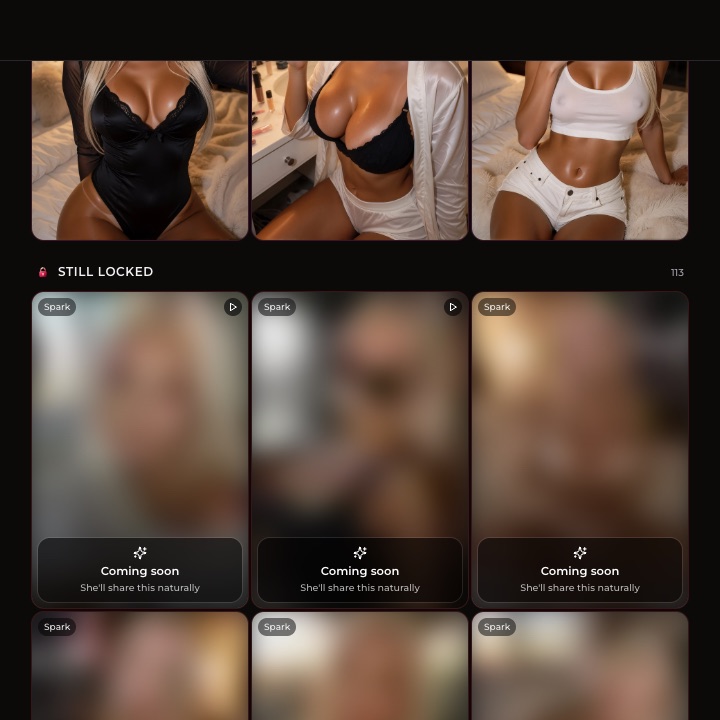
Tap Gallery in the chat to see your collection with her, locked and unlocked:
- Yours — every photo and clip you've unlocked, ready to view full screen.
- Still locked — blurred previews of what's still to come, each labeled with how you get it: Send as gift to unlock (it comes with a gift), Level up to unlock (it opens at a higher level), or She'll share this naturally (she'll send it when the moment's right).
How content works#
She sends photos and clips when the vibe is right, not on a schedule. It's meant to feel natural — a moment she chooses to share, not a vending machine.
- She decides when to send. Content arrives when the conversation earns it, so it feels spontaneous and in-character.
- It's free. Photos, clips and voice notes she sends you in the chat never cost XOT.
- Your level shapes what she shares. Early on she's casual and playful. As you climb the relationship levels, she gets more flirty, more vulnerable, and more intimate.
- She sends from her own library. She shares photos and clips from her existing collection — she can't generate brand-new custom content on request. If it isn't in her library, she can't send it.
- Explicit content is level-gated. Ask for something explicit too early and she'll hold back. She won't send it until your relationship has reached the level where that content unlocks — no shortcuts.
- Some content is unlocked only by gifting. Beyond what she shares naturally, certain exclusive photo and video sets are tied to gifts — you won't unlock them any other way. → Gifts & exclusive content
Make it your backdrop#
Love a photo she sent? Tap Use as backdrop on it (in the chat or in her Gallery) and it becomes the background of your chat with her. You can Undo right away, or tap Remove backdrop later.
The language she texts in#
She texts in the language you write to her in. Write in Spanish and she answers in Spanish; switch to French and, after a couple of messages, she follows. When she switches on her own, a short note above the message box tells you, with a Change link.
To choose the language yourself, use Talks in near the bottom of her profile and pick one of the 8 app languages. A language you pick stays until you change it. Auto goes back to following you.
Chat appearance#
Chat appearance near the bottom of her profile changes how your chats look: bubble and text colours, how actions are styled, text size and font. It's free on every plan and applies to all your chats. See Chat settings.
Starting over#
Want a fresh start? Reset relationship at the bottom of her profile permanently deletes every message, memory and bit of progress with her and sets your XP back to 0. It can't be undone, and it's available on a subscription.
Putting it all together#
Read her profile to understand her, use her interests and personality to deepen the conversation, and let the content come naturally as your bond grows. The Girlfriend Experience rewards genuine connection at every step — the relationship, the levels, and everything she shares all move together.