The Feed
The community feed is full of images, videos, roleplay moments, story chapters, characters and worlds made by members. Here's how to browse it, react, comment, save posts and tune what you see.
The Feed is where members share what they make on Xotic AI: images, videos, roleplay excerpts, story chapters from Worlds, characters and worlds. It's the quickest way to see what's possible, find creators to follow, and discover characters worth chatting with.
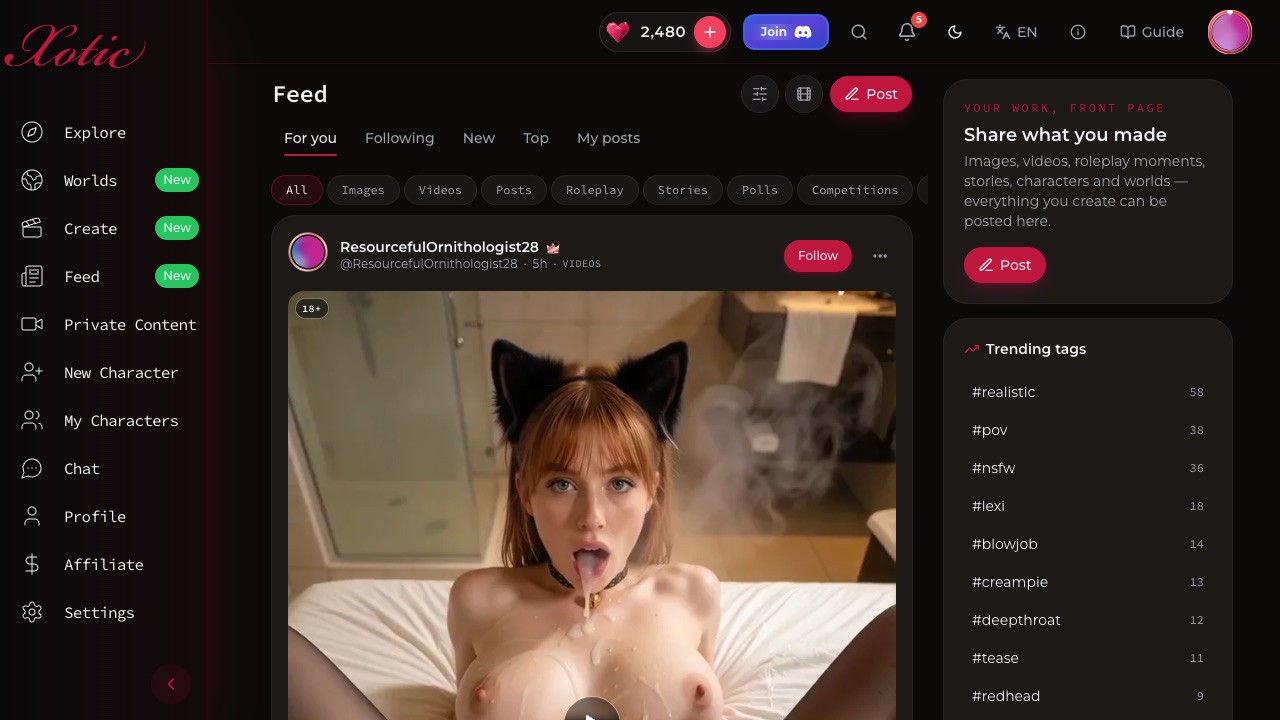
Tabs and filters#
Along the top:
- For you: a mix picked for you.
- Following: posts from creators you follow.
- New: the latest posts.
- Top: the most-loved posts in the last 24h, 7 days or All time.
Under the tabs, narrow the feed to one kind of post: Images, Videos, Posts, Roleplay, Stories, Characters, Worlds or Peeks. Trending tags on the side take you to a tag's page, sorted by Hot or New.
Card view and swipe mode#
The feed opens as a scroll of cards. Tap Swipe mode for a full-screen, one-at-a-time view of image and video posts. If new posts arrive while you're scrolling, a new posts pill appears at the top.
What's on a card#
- Images and videos: tap How this was made to see the creator's prompt, if they chose to share it.
- Roleplay: an excerpt from a chat or a Worlds room. Tap Chat now to talk to the character yourself.
- Story chapter: beats from a Worlds room. Tap Read the chapter, then Play this world.
- Character and World cards open straight into that character or story.
- Peek: one item from a character's private vault. The rest stays locked until you tap Unlock the vault.
The Xotic team also posts Announcements, Polls and Competitions. A competition collects image or video entries against a brief, and the winners get featured.
Reacting, commenting and saving#
- React: tap the reaction button, or pick from the palette with Add a reaction. You can leave several reactions on one post.
- Comments: reply in threads, sort by Top, New or Old, and react to comments. You can edit your own comment for a short while after posting. The post's author can pin one comment to the top.
- Save: bookmark a post to find it later under Saved posts.
- Share: copy the link or send it on.
- Follow a creator straight from their card.
The ⋯ menu on a post has Not interested, Mute this creator, Block user and Report post.
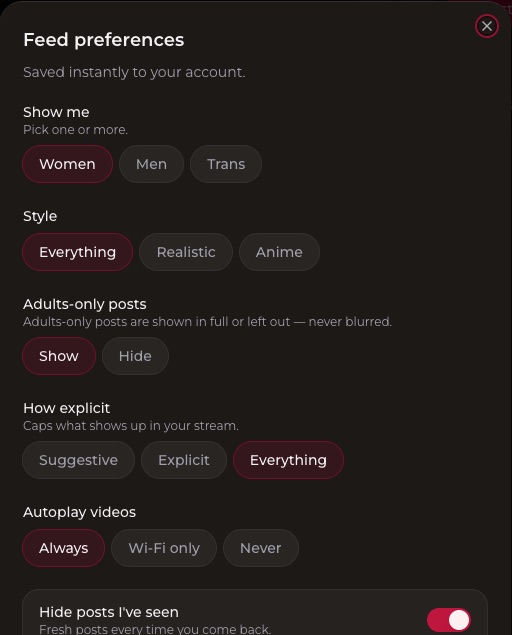
Feed preferences#
Tap Feed preferences to tune your stream. Changes save to your account instantly. The same settings live in Settings → Feed.
- Show me: Women, Men and/or Trans.
- Style: Everything, Realistic or Anime.
- Adults-only posts: Show or Hide. Adults-only posts are shown in full or left out, never blurred.
- How explicit: cap your stream at Suggestive, Explicit or Everything.
- Autoplay videos: Always, Wi-Fi only or Never.
- Hide posts I've seen: get fresh posts every time you come back.
You can also manage your muted tags and creators in Settings → Feed.
Not signed in?#
You can browse the feed without an account, but adults-only posts stay locked until you create a free account.
Sharing your own work#
Everything you generate stays private unless you post it. See Posting to the Feed for how to share images, videos, roleplay, stories, characters and worlds.