Your avatar
Your avatar is the character you play as in Worlds. Learn how to write one, set its look tags, generate a portrait, start from one of your own characters, and choose who can see it.
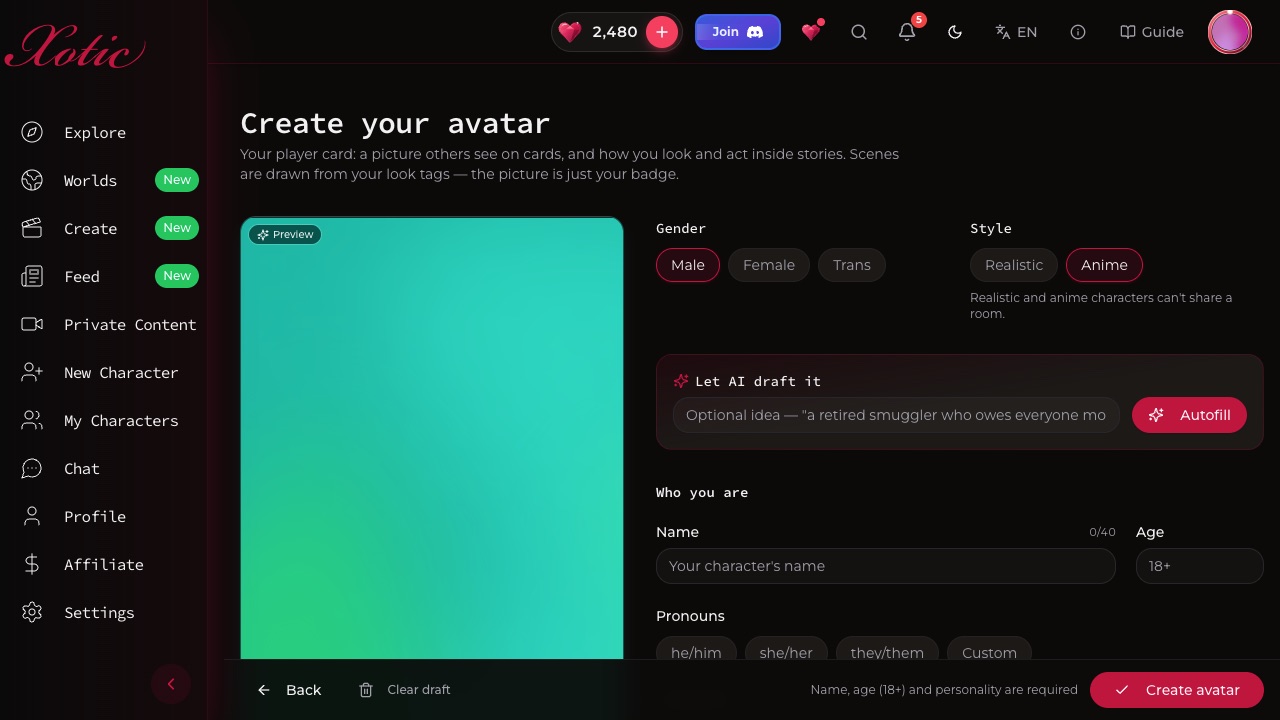
Your avatar is the person you play as inside Worlds. It's your player card: a picture other people see, plus the personality and look the story uses to write and draw you. You need one before you can join any story.
Manage yours from Your avatars on the Worlds hub. You can keep up to 10.
Making one#
Tap New avatar and fill in Who you are:
- Name, Age (18 or older) and Pronouns.
- Personality: how you act, what you want, what you never do.
- Backstory, Voice and a One-line hook for your card. These are optional.
- How do you write? Pick First person ("I draw my blade") or Third person ("Kael draws his blade").
Short on ideas? Type one line under Let AI draft it and tap Autofill. You can edit everything it writes.
Style and look#
- Style: Realistic or Anime. This decides which stories you can join, because realistic and anime characters can't share a room.
- How you look in scenes: short look tags for your build, hair, face, skin, clothes and vibe. You can use up to 12. The story uses these tags whenever it describes or draws you.
Your portrait#
Generate a portrait from your look tags. The first one is free, and later ones cost 50 XOT. If you change your tags afterwards, the editor tells you to regenerate so the picture matches. The portrait is mainly your badge. Pictures inside a story are drawn from your tags, so each one is a fresh take.
Visibility and default#
- Private: only people in your rooms see this avatar.
- Public: shown on your profile and searchable by other players.
- Use as my default: this avatar is picked for you when you join a room. Your first avatar becomes your default automatically.
If our review rejects an avatar, it shows a Rejected badge. Edit it to use it in rooms again.